Introduction – Making the Cipher the target
Self-Made One-Time Pads from Everyday Sources – Making the Cipher the target dives deep into a technique that goes far beyond the standard “VPN + strong passwords” checklist. The goal is simple but powerful: make the cipher itself the target so that anyone who intercepts our traffic is forced to waste valuable time, computing resources, and even money on a dead-end pursuit.
In today’s threat landscape, data brokers, corporate espionage teams, and nation-state actors have inexpensive, automated tools that can capture network packets, scrape public leaks, and brute-force weak encryption in seconds. If we only hide the message, the attacker still has a clear objective — the ciphertext. Guerrilla encryption flips that script. By turning the one-time pad (OTP – the secret key) into a high-value bait, we raise the cost of surveillance dramatically while keeping our own communications fast, simple, and mathematically unbreakable.
This article walks through a completely hands-on, low-tech process for generating true random pads from dice, coins, or playing cards, and then shows two complementary tactics that turn the cipher into a resource-draining trap:
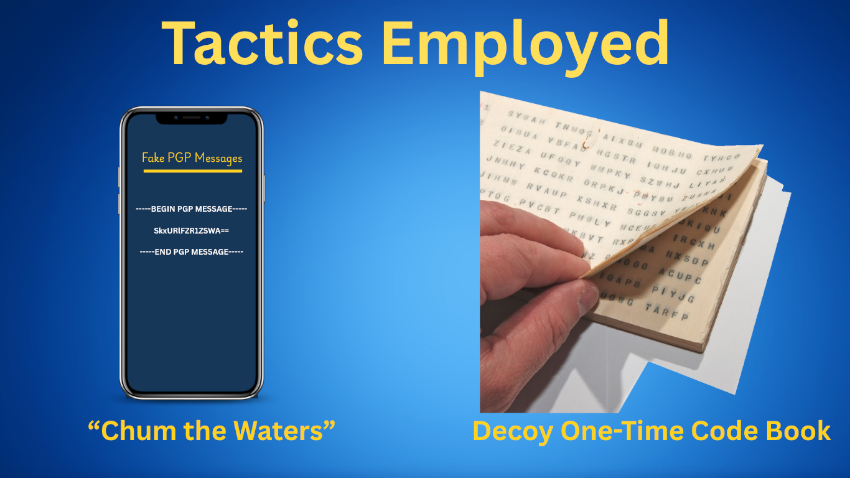
- The Decoy Code-Book – a pocket-size booklet that looks like a treasure trove of master keys but actually contains only a harmless facade.
- “Chum in the Waters” – a genuine OTP-encrypted message disguised as a PGP block, prompting attackers to launch heavyweight OpenPGP cracking tools that will never succeed.
Together, these strategies embody the spirit of guerrilla encryption: not just protecting the message, but actively increasing the attacker’s workload and making the cipher itself the most attractive — and ultimately futile — target.
One-Time Pads 101 – Theory Made Simple
The one-time pad (OTP) is the oldest and strongest form of encryption. Claude Shannon proved in 1949 that a cipher is perfectly secret when three conditions are met:
- The key must be truly random.
- It must be at least as long as the message.
- It must never be reused. When those rules hold, the ciphertext carries no information about the plaintext — every possible message is equally likely, and no amount of computing power can narrow the possibilities.
How the math works
In practice the OTP is implemented with a very simple operation: XOR (exclusive-or). XOR compares two bits and returns 1 only when the bits differ; otherwise it returns 0. If you line up the binary representation of your plaintext with a random key of the same length and XOR each pair of bits, you get the ciphertext. Decryption is identical — XOR the ciphertext with the same key and the original plaintext reappears because XOR is its own inverse. For people who prefer to stay in the alphabet, the same effect can be achieved by adding the numeric values of the letters modulo 26; the principle is unchanged — mix the message with a random sequence and only the exact sequence can undo it.
Why true randomness matters
A PRNG (Pseudo-Random Number Generator) that lives in every computer is deterministic: it starts from a seed (often the system clock) and then produces a predictable stream. If an attacker ever learns the seed — or gathers enough output to infer it — they can regenerate the entire key and break the OTP. That is why a true random source is essential. Physical objects such as dice rolls, coin flips, shuffled playing cards, thermal noise from a resistor, or the random bits harvested by a hardware RNG (Intel RDRAND, a TPM, or a dedicated USB entropy dongle) provide the unpredictability the OTP requires. When you have a trustworthy hardware RNG you can safely generate large pads; otherwise, the low-tech methods are the most reliable way to guarantee independence of each bit.
The fatal mistake: re-using a pad line
When a one-time pad is used correctly, each ciphertext C is produced by XOR-ing a plaintext P with a unique random key K:
C = P ⊕ KIf the same key line K is (mistakenly) used to encrypt two different messages, P₁ and P₂, the attacker sees two ciphertexts:
C₁ = P₁ ⊕ KC₂ = P₂ ⊕ K
By XOR-ing the two ciphertexts together, the key disappears:
C₁ ⊕ C₂ = (P₁ ⊕ K) ⊕ (P₂ ⊕ K)= P₁ ⊕ P₂ (because K ⊕ K = 0)
Now the adversary possesses P₁ ⊕ P₂, the XOR of the two plaintexts. While this is not the original text, it leaks massive information: natural-language patterns survive the XOR, and any guessed fragment of one message (e.g., “From:” in an email) instantly reveals the corresponding fragment of the other. In practice, reusing a pad reduces the problem from “guess a 256-bit random key” (computationally impossible) to “solve a partially known XOR of two human-readable strings,” which can be cracked with modest computing effort and linguistic heuristics. Hence never reuse a pad line—treat each line as a single-use consumable and destroy it immediately after use.
Common pitfalls that destroy perfect secrecy
- Re-using a pad line (explained above).
- Generating keys with a software PRNG — deterministic and predictable.
- Truncating the pad — leaving part of the message in clear.
- Storing or copying used pads — giving an adversary direct access.
Proper usage checklist (the “golden rules”)
- Gather entropy from a physical source (dice, coins, cards) or a verified hardware RNG.
- Record each random symbol on a dedicated line in a bound notebook or on individual slips; number the lines for easy reference.
- Match the line length to the message length (or add a small safety margin).
- Encrypt by XOR (or add-mod-26) — the operation itself is trivial, the security comes from the key.
- Destroy the used line immediately — tear it out, shred it, or burn it.
- Never reuse any part of the pad — treat each line as a single-use consumable.
- Verify the randomness — (e.g., with
entorrngtest) before trusting the pad for real traffic.
When these steps are followed, the OTP you create is mathematically unbreakable. The ciphertext becomes a meaningless jumble to anyone who intercepts it, and the only thing an attacker can hope to do is obtain the exact pad line—which, thanks to the destruction rule, should be impossible. The next sections will show how to harvest that randomness with everyday objects, test its quality, and then turn the pad into a clever “guerrilla” bait that forces any eavesdropper to waste precious resources.
Building a Real OTP with Everyday Items
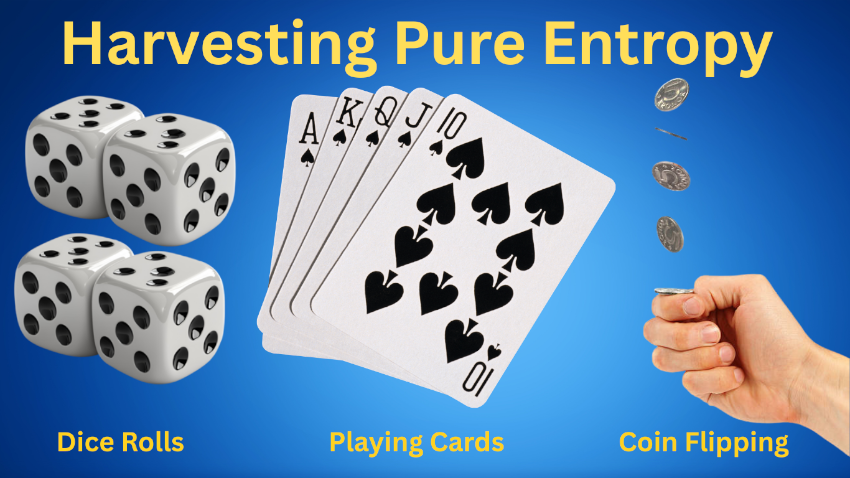
Harvesting Pure Entropy
| Source | How to record | What you get (raw symbols) |
|---|---|---|
| Six-sided dice | Roll the die, write the face value (1 – 6) on a line. | Numbers 1-6 (later mapped to 0-5). |
| Coins | Flip a coin, write H for heads, T for tails. | A string of H/T (Heads & Tails) characters. |
| Playing cards | Shuffle a standard 52-card deck, draw a card, write the rank-suit (e.g., KS for King of Spades). | 52 distinct symbols (A♣, 2♣ … K♠). |
You can mix the three sources in any proportion you like—for example, the first 52 entries come from cards, the next 50 from coin flips, and the final 75 from dice rolls. The only rule is independence: each roll, flip, or draw must not be influenced by the previous one.
Turning Raw Symbols into a Binary Pad
The conversion is deterministic, so you can script it later (the scripts will be packaged in the zip file). Here’s the mapping you’ll use:
| Symbol type | Mapping to a numeric value | Binary representation |
|---|---|---|
| Dice (1-6) | Subtract 1 → values 0-5 | Encode as a 3-bit chunk (000-101). Values 6 and 7 (110/111) never occur, so no discarding is needed. |
| Coins | H → 0, T → 1 | Pack eight flips into one byte (e.g., HTHTHTHT → 01010101 → 0x55). |
| Cards (52) | Assign each rank-suit a number 0-51 ( A♣ = 0, 2♣ = 1 … K♠ = 51). | Encode as a 6-bit value (0-63). Values 52-63 are never produced, so they can be ignored. |
Step-by-step manual conversion:
- Dice – Write each roll, subtract 1, then write the 3-bit binary equivalent beneath it.
- Coins – Group the H/T symbols in sets of eight, replace H/T with 0/1, and write the resulting byte in hexadecimal (or binary).
- Cards – Look up the card in the 0-51 table, write the 6-bit binary value.
When you finish, you’ll have a continuous stream of bits (or bytes) that is exactly as long as the number of symbols you recorded. That stream is your one-time-pad key.
Programmatic Verification
Even though the article itself won’t show code, the downloadable zip (otp-builder.zip) contains three tiny utilities you can run locally:
build_pad.sh– Takes a plain-text file containing the raw symbols (one per line) and outputs a binary filepad.binusing the mappings above.entropy_check.sh– Runsentandrngtestonpad.binand prints a concise pass/fail summary (entropy ≈ 8 bits/byte, p-value > 0.01).pdf_bookmaker.py– Reads the same symbol file and produces a self-contained PDF that looks like a field-operative notebook (10 pages, 30 lines per page, 10 columns).
All three tools are pure Bash/Python, require only the standard utilities that ship with Linux(coreutils, python3, ent, rngtest). The README.md explains the exact command line invocations.
Printing Your OTP Book Yourself
Because the secrecy of the pad depends on controlled distribution, we avoid commercial print shops. Follow these steps to produce a compact, pocket-size booklet at home:
- Generate the PDF with the bundled
pdf_bookmaker.py - Print on heavy matte cardstock (≈ 250 gsm) using your own laser printer. If you only have a regular office printer, print on two sheets of standard paper and later glue a piece of cardstock behind each page for durability.
- Trim to 3 × 5 in (the script already formats the pages to that size; a simple paper cutter or scissors works).
- Bind the pages by stapling along the short edge or using a small ring-binder. Number the pages in the lower-right corner; this makes it easy to reference a specific line when you need to encrypt a message.
- Store the booklet in a secure pocket or a zippered pouch. When you consume a line, tear it out and destroy it (shred, burn, or soak in water). The remaining pages stay untouched, preserving the secrecy of future communications.
Putting It All Together
- Collect entropy (dice, coins, cards) in any combination you like.
- Save the raw symbols to a plain-text file (
symbols.txt). - Run the helper script (
./build_pad.sh).
symbols.txt pad.bin - Check the randomness (
./entropy_check.sh).
pad.bin - Print the reference booklet (
python3).
pdf_bookmaker.py symbols.txt otp_book.pdf
You now have a fully verifiable, physically generated one-time pad that you can trust to be mathematically unbreakable—provided you obey the “use once, destroy after use” rule. The next section will show how to turn a genuine OTP-encrypted message into a digital bait that forces any eavesdropper to waste valuable resources trying to crack a dead-end PGP-style block.
Verifying the Randomness of Your Pad
Even though dice, coins, and playing cards are considered “physical” sources of entropy, human-generated sequences can still contain subtle bias. A slight tendency to favor a particular die face, a habit of stopping after a “good” streak of heads, or an uneven shuffle of a deck can all introduce patterns that an attacker could exploit if they ever obtained the pad. Because a one-time pad’s security hinges entirely on the unpredictability of each bit, it’s essential to confirm that the binary stream you derived from your physical actions truly behaves like random noise.
Why a statistical check matters
| Potential bias | How it could weaken the OTP |
|---|---|
| Uneven die distribution (e.g., 6 appears slightly more often) | The resulting 3-bit chunks are not uniformly spread across the 0-7 range, giving an attacker a marginal advantage in guessing the key bits. |
| Coin-flip streaks (people unconsciously avoid long runs of tails) | The binary stream will have fewer consecutive 1’s than expected, again reducing entropy. |
| Non-random card ordering (imperfect shuffling) | Certain rank-suit combinations become more likely, leaking information about the 6-bit values. |
| Human fatigue (stopping early, mis-recording) | Missing or duplicated symbols effectively shorten the key, violating the “key length ≥ message length” rule. |
Even a tiny deviation from perfect randomness can be amplified when the pad is used many times, because the attacker can aggregate statistical evidence across multiple ciphertexts. A formal test gives you confidence that the pad meets the ≥ 8 bits of entropy per byte benchmark that defines a truly random source.
Quick, reproducible checks you can run on Linux
All three utilities are bundled in the downloadable otp-builder.zip; they rely only on standard command-line tools that ship with most Linux distributions.
- Monobit (frequency) test –
ent
What it does: Counts the number of 0’s and 1’s in the binary file and reports the percentage of ones, the overall entropy (bits per byte), and a chi-square statistic.
What to look for:- Entropy close to 8 bits/byte (≥ 7.95 is acceptable).
- Percentage of ones near 50 % (within a few percent).
- Chi-square p-value > 0.01 (indicates no obvious bias).
- Runs test –
rngtest
What it does: Examines the lengths of consecutive runs of 0’s and 1’s and compares them to the expected distribution for a truly random stream.
What to look for: A p-value greater than 0.01 means the observed runs are consistent with randomness. - Dieharder battery (optional, deeper analysis)
What it does: Executes a suite of statistical tests (Birthday Spacing, Overlapping-Pairs-Sparse-Occupancy, etc.) that probe for more subtle correlations.
What to look for: Most tests should PASS; occasional “WEAK” results are tolerable for small pads, but systematic failures indicate a problem with the entropy source.
Running the bundled script is as simple as:
./entropy_check.sh pad.binThe script prints a concise summary:
ENTROPY: 7.998 bits/byte (OK)ONES: 49.9 % (OK)CHI-SQ: p = 0.42 (OK)RNGTEST: p = 0.67 (OK)
If any metric falls outside the acceptable range, repeat the collection step (add more dice rolls, coin flips, or card draws) until the statistical profile improves. Because the tests are fast, you can iterate quickly without delaying your workflow.
Practical tip: combine sources for robustness
A common strategy is to mix several physical sources before converting to binary. For example:
- First 52 symbols from a shuffled deck (6-bit values).
- Next 50 symbols from coin flips (packed into bytes).
- Final 75 symbols from dice rolls (3-bit chunks).
Mixing diversifies the underlying entropy mechanisms, making it even harder for an inadvertent bias in any single source to dominate the final bitstream. After mixing, run the same verification suite on the combined pad.bin; the statistical results should reflect the aggregated randomness.
Bottom line
- Physical sources are excellent, but they are not automatically perfect.
- Statistical verification (frequency, runs, and optionally deeper batteries) gives you quantitative confidence that the pad meets the ≥ 8 bits/byte entropy threshold required for perfect secrecy.
- Iterate: if a test fails, gather more entropy and re-run until the metrics are solid.
Once the pad passes these checks, you can safely use it for encryption, knowing that the only way an attacker could ever break the message is by obtaining the exact pad line—a scenario you have deliberately made highly improbable.
Printing Your Own OTP Book
After you have turned your dice rolls, coin flips, and card draws into a verified binary pad, the next step is to give that pad a portable, pocket-sized form that you can hand to a trusted colleague or keep for yourself. Because the security of a one-time pad depends on controlling who ever sees the key material, we keep the whole production process in-house – no commercial print shop, no third-party handling.
Lay out the pages (PDF generation)
- Create a CSV of the raw symbols – one symbol per cell, 10 columns wide, 12 rows per page.
- Run the bundled formatter (included in
otp-builder.zip):python3 pdf_bookmaker.py symbols.csv otp_book.pdf# default: two columns on an 8.5×11 sheetThe script automatically
- sets the page size to 3 × 5 in (the classic “credit-card” dimensions),
- adds a small header (“Guerrilla OTP – Page X”),
- numbers each page in the lower-right corner, and
- draws tiny cross-hair crop marks at every corner of every 3 × 5 in rectangle. Those marks are the “dots” that tell you exactly where the top, bottom, left, and right edges belong.
- Choose a layout if you prefer rows instead of columns:
python3 pdf_bookmaker.py symbols.csv otp_book.pdf --layout portrait# two rows per sheetpython3 pdf_bookmaker.py symbols.csv otp_book.pdf --layout landscape# two columns (default)Either way you’ll get four OTP pages on a single 8.5 × 11 in sheet, which maximizes paper usage.
Printing the PDF
- Load the chosen paper into your laser printer.
- Printer settings
- Paper type → “Heavy” or “Cardstock” (if the driver offers it).
- Print quality → “Best” or “High”.
- Scaling → Fit to page (no extra margins).
- Print a test sheet first. Verify that the four 3 × 5 in blocks are fully visible and that the faint crop-marks are present.
Cutting the pages cleanly
The cross-hair marks give you exact cut lines, so you can use any of the following tools:
| Tool | How to use it | When it shines |
|---|---|---|
| Guillotine paper cutter | Align the sheet against the ruler, line up the outermost crop-mark crosshair, then press down. | Fast, straight cuts for batches. |
| Rotary trimmer | Same alignment; glide the rotary blade along the marked edge. | Very precise, especially on heavier stock. |
| Sharp craft knife + metal ruler (on a cutting mat) | Place the sheet on a self-healing mat, line the ruler with a crop-mark crosshair, score lightly, then press firmly to finish the cut. | Works with any thickness; low-cost. |
| Scissors | Only for quick prototypes; cut along the outer crop marks, then trim the inner edges. | Convenient but less accurate for many pages. |
Step-by-step (craft-knife method)
- Put the printed sheet on a cutting mat.
- Align a metal ruler with the top-left crop-mark crosshair; the ruler’s edge should sit exactly on the outer line of the cross.
- Lightly score along the ruler (don’t cut through).
- Rotate the sheet 90° and repeat for the bottom-left (or opposite side).
- Do the same for the vertical edges (top-right, bottom-right).
- Go over each scored line a second time, pressing firmly; the paper snaps cleanly along the groove.
If you have a guillotine cutter, you can skip the scoring step and cut in one motion—just line the sheet up with the crop marks first.
Binding the booklet
- Stack the trimmed pages in numerical order.
- Staple along the short (3-inch) edge. A standard desktop stapler handles 10–12 pages of card-stock; for thicker stacks use a heavy-duty stapler or add a second staple a few millimeters away.
- (Optional) Slip a thin metal or plastic spine over the staples and crimp it – this prevents the staples from tearing out under stress.
- Alternative field-ready option: Punch two holes (≈ ¼ in apart) near the edge and thread a short piece of paracord or zip-tied loop through them. The loop acts as a quick-release latch; you can tear out a used page and discard it without disturbing the rest of the book.
Operational discipline
- Mark the page before you encrypt – note the page number on a separate sheet so you never reuse a line.
- Destroy the line after use – tear the exact row out, then shred or burn it. Because each line is self-contained, removing it does not affect the remaining pages.
- Store the booklet securely – a zippered pouch, a lockable drawer, or a small safe keeps the pool of potential keys out of unwanted hands.
Quick checklist before you start printing
- Run the formatter (
pdf_bookmaker.py) with the layout you prefer. - Open the PDF and confirm the four cross-hair crop marks per page are visible.
- Print a single test sheet on the exact paper you plan to use.
- Check ink quality – the symbols must be crisp at 3 × 5 in.
- Cut the test sheet using your chosen tool; verify the edges are straight and the crop marks line up perfectly.
- If everything looks good, print the full batch, cut, and bind.
With these steps you now have a self-produced, pocket-sized OTP notebook that you printed, cut, and bound entirely under your own control. The booklet is ready to supply truly random, single-use keys for your guerrilla-style communications—while the very existence of the book itself becomes a low-profile “bait” that an adversary would have to work hard to obtain. In the next section we’ll show how to embed a genuine OTP-encrypted message in a fake PGP block, turning the cipher itself into a costly trap for any eavesdropper.
Sending Messages – Turning the Cipher into a Resource-Drain
Below is the exact, step-by-step workflow I use every time I need to send a truly unbreakable message while making the adversary waste time on a dead-end PGP block. All of the commands I refer to are part of the otp-builder.zip package that accompanies this article, so you can reproduce the process on any Linux system (or any Linux distro with Bash/Python 3).
Pick a Fresh Pad Line
- Open my pocket-size OTP booklet to the next unused row.
- Note the page number and row number (e.g., Page 4 Row 12).
- Write those two identifiers on a scrap piece of paper – this is the only out-of-band information and is not transmitted.
Why I do this: The OTP line is the only secret the adversary does not have. As soon as the recipient confirms decryption, I tear the row out and shred it.
Export the Raw Symbols
What I do: I open my pocket-size OTP booklet to the next unused row (the page/row number I noted in step 6.1). The row is a single line of symbols that I recorded while I was rolling dice, flipping coins, and drawing cards.
Exactly how the line looks on the page (spacing is important – one space between each symbol, no extra characters):
A♣ 7H 3D 9C 5S AD 2C QH 8D JCExplanation of the symbols
- Playing-card symbols (
A♣,9C,QH, …) are the cards I drew.They can have the symbols or be H=Hearts etc. - Coin symbols (
Hfor heads,Tfor tails) are the results of my flips. - Die symbols (
1–6) are the faces I rolled.
What I copy: I create a plain-text file called line.txt in the same folder as the helper scripts and type (or paste, if I’m using a screen-reader that can read the booklet) the line exactly as it appears, preserving the single-space separators:
echo"A♣ 7H 3D 9C 5S AD 2C QH 8D JC">line.txt
Sanity-check: Open line.txt with a simple viewer (cat or
line.txtless). The output should be one line only, with symbols separated by spaces and nothing else. If you see line-breaks, extra spaces at the start/end, or stray characters, delete them and save again.
line.txt
That’s all the “export” step does – the raw symbols stay exactly as they were written in the booklet. The conversion to binary (A♣ → 000000, H → 0, 4 → 011, etc.) happens later, inside the build_pad.sh script, so the file you just created is the only thing you need to hand to the encryption script.
Write the Plaintext Message
- Keep it short – a single SMS-sized string (≤ 140 characters) or a one-paragraph email.
- Use only ASCII characters (letters, numbers, space, basic punctuation).
Save the message to plain.txt.
Example:
Meet me at the cafe on Main Street at 3 pm.Generate the Ciphertext (OTP ⊕ Plaintext)
./build_pad.sh line.txt plain.txt ct.binWhat happens inside build_pad.sh:
- Parse
line.txt– convert dice → 3-bit values, coins → bits, cards → 6-bit values (the mapping rules are documented in the README). - Assemble a binary keystream (
key.bin) whose length matches or exceeds the plaintext length. - XOR
plain.txt(UTF-8 bytes) withkey.bin→ binary ciphertextct.bin.
The script prints a short status line, e.g.:
[INFO] Plaintext length: 53 bytes[INFO] Keystream length: 53 bytes – OK[INFO] Ciphertext written to ct.bin
If the keystream is too short, the script aborts and tells you to add more symbols to line.txt.
Base-64 Encode the Ciphertext
./b64_encode.sh ct.bin ct.b64b64_encode.sh simply runs base64 and writes the result to ct.b64. The file now contains a single line of characters like:
SkxURlFZR1ZSWA==Wrap the Block in a Fake PGP Envelope
./wrap_pgp.sh ct.b64 message.txtwrap_pgp.sh produces a file that looks exactly like a real OpenPGP message:
-----BEGIN PGP MESSAGE-----SkxURlFZR1ZSWA==-----END PGP MESSAGE-----
No actual OpenPGP headers are present, so any automated scanner that sees the delimiters will try to invoke a PGP parser, then fall back to password-cracking – the exact resource-drain we want.
Transfer the Message to Your Phone
Because I’m blind, I never type the block on the phone. I use Syncthing (a fully open-source, end-to-end encrypted folder sync) to move message.txt from my laptop to my GrapheneOS phone:
- Install Syncthing on both devices (the Android APK is available from the official site).
- Create a shared folder called
otp-outgoing. - Place
message.txtinto that folder. Syncthing copies it over automatically.
(If you prefer a QR-code workflow, see the sidebar in the article – the same message.txt can be turned into a QR image with qrencode.)
Send the SMS (or Email)
- Open the default Messaging app on the phone.
- Focus the compose field.
- Long-press → the accessibility service announces “Paste”.
- Activate Paste – the entire PGP block appears as a single chunk of text.
- Hit Send.
From the carrier’s perspective this is just an ordinary SMS; from a data-broker’s perspective it is a “PGP message” that will be fed into their decryption pipelines.
Recipient Side – Decoding
The recipient follows the same physical OTP book protocol to locate the matching line (they already know the page/row from a pre-arranged signal). On their trusted computer they run:
./decode_pad.sh line.txt message.txt plain_out.txtdecode_pad.sh does the reverse:
- Strips the PGP delimiters.
- Base-64 decodes the inner block.
- Re-creates the binary keystream from the supplied line.
- XORs the ciphertext with the keystream → original UTF-8 plaintext, written to
plain_out.txt.
The script prints a success message:
[INFO] Decryption succeeded – plaintext written to plain_out.txtThe recipient can now read the original message, confirm it, and both parties destroy the used OTP line.
Why This Drains the Adversary
- PGP header → triggers automatic OpenPGP parsers in network monitors, email scanners, and carrier analytics.
- No real PGP packet → parsers fall back to password-cracking loops (GPU-accelerated
hashcat,john, etc.).
the ripper - True OTP ciphertext → even a massive GPU farm cannot brute-force a 256-bit random keystream; the only viable attack is to obtain the physical pad line, which we have already destroyed.
Thus every intercepted message forces the attacker to waste CPU cycles, GPU time, and analyst hours on a dead-end problem, while the legitimate parties exchange a perfectly secret note in seconds.
Scripts Included in otp-builder.zip
| Script | Purpose | Input(s) | Output |
|---|---|---|---|
build_pad.sh |
Convert raw symbols → binary keystream → XOR with plaintext | line.txt, plain.txt |
ct.bin |
b64_encode.sh |
Base-64 encode binary ciphertext | ct.bin |
ct.b64 |
wrap_pgp.sh |
Add fake PGP delimiters | ct.b64 |
message.txt |
decode_pad.sh |
Reverse of build_pad.sh (strip delimiters, decode, XOR) |
line.txt, message.txt |
plain_out.txt |
entropy_check.sh |
Run ent + rngtest on a binary pad (optional sanity check) |
pad.bin |
console summary |
pdf_bookmaker.py |
Produce the 3 × 5 in OTP booklet PDF from a CSV of symbols | symbols.csv |
otp_book.pdf |
qr_encode.sh (optional) |
Turn message.txt into a QR PNG for phone-only transfer |
message.txt |
msg_qr.png |
All scripts are POSIX-compatible Bash (except the two Python helpers) and require only the standard utilities that ship with Linux (base64, awk, sed, python3). Detailed usage instructions are in the README.md inside the zip.
The Complete Bait-And-Switch Playbook
Below is the final, polished version of the “Bait-And-Switch Playbook” that you can drop into the article. It incorporates the public-paste examples and presents the three-phase workflow in a clear, step-by-step format.
Bait-And-Switch Playbook – The Digital Treasure Hunt
Goal: Publish a convincing “leaked” artifact that looks like a high-value master one-time-pad, hide a single-use OTP inside it, and simultaneously send a genuine OTP-encrypted message that masquerades as a PGP block. The result is a resource-draining trap for any adversary who intercepts either the public file or the SMS/email.
Phase 1 – Preparation (create the digital bait)
- Pick a fresh OTP line from your printed booklet and save the symbols to
line.txt. - Build a binary keystream (the hidden OTP) with the helper script:
./build_pad.sh line.txt dummy.txt otpline.bin - Choose a carrier for the hidden OTP:
- PDF – embed
otpline.binas an attachment (pdfattach). - PNG – hide it with LSB steganography:
steghide -e -cf

cover.png -ef otpline.bin -p sharkbait
- PDF – embed
- Add false leads inside the carrier:
- A bold warning banner (“WARNING: This file contains the master one-time-pad used for all covert traffic in 2025-2026”).
- The SHA-256 hash of
otpline.bin(sha256sum) placed visibly as a “verification tag”.
otpline.bin
- Package the carrier in a password-protected ZIP (the password is a common phrase to invite dictionary attacks):
zip-e -P"sharkbait"bait.zip cover.png# or bait.pdf - Publish the ZIP on a no-signup paste service (pick any from the table above). Example using 0x0.st:
curl-F'file=@bait.zip'https://0x0.st# → https://0x0.st/xyz12345.zip - Announce the link on a low-traffic forum, a private Discord channel, or a public comment thread. The more eyes that see it, the more likely a data-broker will start analyzing it.
Phase 2 – Deployment (send the real OTP-encrypted message)
- Select a different OTP line from the booklet (never reuse the line hidden in the bait).
- Encrypt your real message exactly as described in the “Sending Messages” section:
./build_pad.sh line2.txt real_message.txt ct.bin./b64_encode.sh ct.bin ct.b64./wrap_pgp.sh ct.b64 real_msg.txt - Sync
real_msg.txtto your phone via Syncthing (or generate a QR code if you prefer). - Paste the PGP block into an SMS or plain-text email and send it to the intended recipient.
The adversary now sees two separate artefacts:
- The public bait ZIP – looks like a treasure trove of master keys, triggers password-cracking and stego-analysis.
- The PGP-wrapped SMS – looks like a normal encrypted message, forces OpenPGP parsers and brute-force attempts.
Both are dead ends; only the recipient, who has the matching OTP line, can recover the plaintext.
Public “Paste-bin-style” Sites That Don’t Require an Account
If you want to host the bait ZIP (or any other artifact) where anyone can download it without signing up, here are a few reliable, no-login services:
| Site | URL | Max file size (approx.) | Notes |
|---|---|---|---|
| 0x0.st | https://0x0.st/ |
512 MiB |
Returns a short, permanent URL; supports direct file uploads via curl. |
| file.io | https://www.file.io/ |
100 MiB (default) |
Files self-destruct after the first download or after a configurable time period. |
| transfer.sh | https://transfer.sh/ |
10 GiB |
Simple curl interface; you can set an expiration (default 14 days). |
| Anonfiles | https://anonfiles.com/ |
20 GiB |
No registration, provides a direct download link and a mirror. |
| catbox.moe | https://catbox.moe/ |
200 MiB |
Fast CDN, returns a permanent URL; supports multipart uploads. |
| dpaste.org | https://dpaste.org/ |
5 MiB (text only) |
Good for pasting small text snippets (e.g., the SHA-256 hash or a short description). |
| sprunge.us | http://sprunge.us/ |
5 MiB (text) |
Very lightweight, returns a short URL instantly. |
How to upload from the command line (example with 0x0.st):
curl-F'file=@bait.zip'https://0x0.st# => returns something like: https://0x0.st/abcd1234.zip
You can then share that URL on a low-traffic forum, a Discord channel, or any place where your trusted contacts can retrieve it. Because no account is needed, the link can be indexed by search engines, increasing the chance that an opportunistic data-broker will stumble upon it and start the costly analysis you want to provoke.
Phase 3 – Cleanup (erase traces, keep the hunt alive)
- Destroy the used OTP line in your booklet (tear it out, shred, soak, or burn).
- Delete local copies of
otpline.binand the password-protected ZIP after confirming the public link is live. - Rotate the bait: after a week—or as soon as you notice any scanning activity—repeat Phase 1 with a brand-new OTP line and a fresh ZIP. Continuous rotation forces any persistent adversary to start the analysis from scratch each time, inflating their cost dramatically.
Quick-Reference Checklist
| Action | Command / Tool | Result |
|---|---|---|
| Export OTP line | echo "A♣ 7H 3D 9C 5S AD 2C QH 8D JC" > line.txt |
line.txt |
| Build hidden keystream | ./build_pad.sh |
otpline.bin |
| Hide in PNG | steghide -e -cf |
cover.png |
| Zip with password | zip -e -P |
bait.zip |
| Publish (0x0.st) | curl -F |
Public URL |
| Encrypt real message | ./build_pad.sh |
real_msg.txt |
| Sync to phone | Syncthing folder otp-outgoing |
File appears on phone |
| Send SMS | Paste real_msg.txt into messaging app |
Ciphertext in transit |
| Cleanup | Tear out used row, rm otpline.bin bait.zip |
No leftovers |
Why This Works
- Dual deception – a publicly accessible “leaked” file tempts analysts to waste time on password cracking and stego extraction, while the actual communication is hidden behind a fake PGP block that forces heavyweight OpenPGP decryption attempts.
- Perfect secrecy – each OTP line is used exactly once and then destroyed, guaranteeing that the ciphertext is mathematically unbreakable.
- Cost inflation – rotating the bait continuously forces any data-broker or surveillance actor to restart the expensive analysis pipeline for every new artifact you publish.
By following this playbook you turn a simple one-time-pad exchange into a guerrilla-style operation that not only protects your message but also actively taxes the resources of anyone trying to eavesdrop. The result is a net gain for privacy advocates: the cipher becomes the most attractive target, and the adversary ends up chasing a phantom.
Conclusion
In this article I showed how to turn everyday randomness—dice rolls, coin flips, and a shuffled deck of cards — into a truly random one-time pad, verify that randomness with simple entropy tests, and print a pocket-size booklet that lets you hand-pick a single-use line whenever you need to communicate. With that pad in hand I demonstrated a complete workflow for sending a message: export the chosen line, XOR it with your plaintext, Base-64-encode the result, wrap it in a fake PGP header, and deliver it via SMS or plain-text email. Because the ciphertext is a perfect-secrecy OTP, any interceptor can only waste time trying to break a PGP-style block that contains no exploitable structure.
The second half of the guide introduced the bait-and-switch playbook. By publishing a decoy “master-pad” file on a public, no-login paste service, hiding a single-use OTP inside a PNG or PDF, and protecting the container with a dictionary-friendly password, we give data-brokers and surveillance teams a high-value target that forces them to run password-crackers, steganalysis tools, and OpenPGP parsers—none of which will ever succeed. Meanwhile the genuine OTP-encrypted message reaches the intended recipient unhindered.
What we accomplished is twofold:
- Perfect secrecy for the actual conversation, because the one-time pad is truly random, as long as the message, and never reused.
- Resource exhaustion for the adversary, who must invest CPU cycles, GPU time, and analyst effort on a dead-end puzzle each time we transmit a message or publish a bait file.
If more of us adopt this guerrilla-encryption mindset—generating our own pads, destroying each line after use, and seeding the internet with convincing decoys — we collectively raise the cost of surveillance to the point where it becomes impractical. The more participants, the more wasted cycles, and the stronger the privacy ecosystem becomes.
Call to arms: grab a few dice, a deck of cards, and a sheet of card-stock; build your own OTP booklet; start sending messages wrapped in fake PGP blocks; and publish a bait file today. Every extra line you destroy and every extra decoy you release is a minute of an attacker’s time that can’t be spent elsewhere. Let’s turn the cipher itself into the biggest target of all — because when the cipher is the bait, the hunters end up chasing ghosts. Here is a zip file of all of the code to run it.

Disclaimer:
This article is for individuals at higher risk or in places that have repressive governments. It is intended to augment freedoms that we all hold dear. I do not advocate anything illegal or immoral be done with this knowledge. Be safe out there.